Step 1. Join up to the Active Launceston website by registering at the top right of the page
Step 2.After registering, you'll be given a prompt to 'create or join a group'
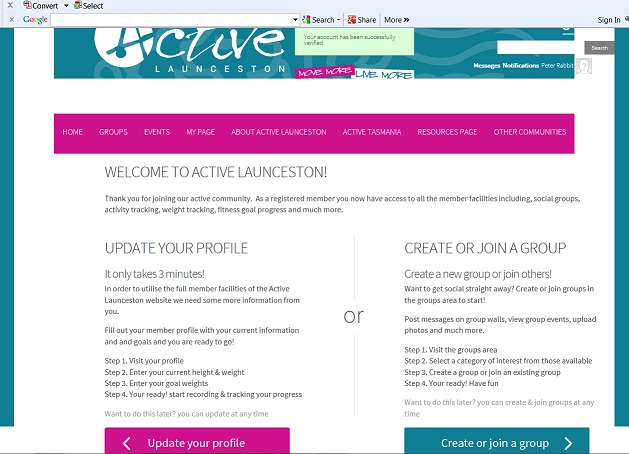
Step 3. Select the "Create or join a group" button on the right and follow the wizard to create a group
Step 4. On your new group page, click the + symbol on the bottom right of the screen to add an event
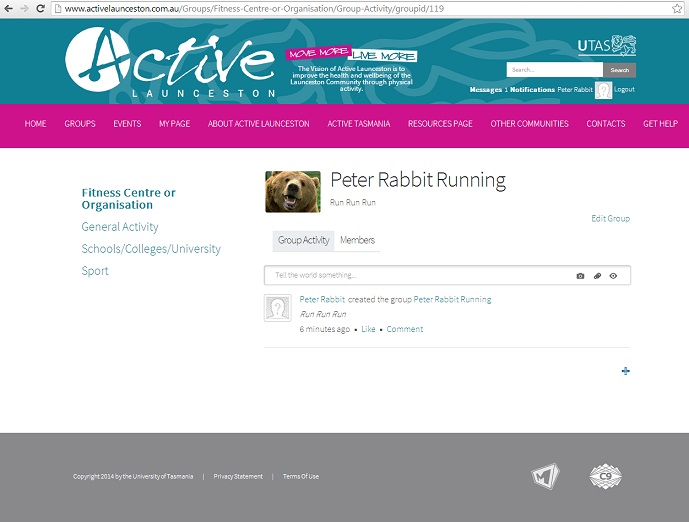
For more information on creating a group or adding an event, please download the 'Adding Group and/or event document'
Note: If you marked the event as public it will appear in the calendar below for everyone to see